Return — Ministry Notes
Remember the conversation. Return prepared.
Return is an independent ministry notes app for Jehovah's Witness publishers: remember conversations, prepare for return visits, and keep field service notes private on iPhone, iPad, and Apple Watch.
For iPhone, iPad, and Apple Watch.
Return is an independent app. It is not affiliated with, endorsed by, or produced by any religious organization.
One conversation, remembered
Capture while it’s fresh.
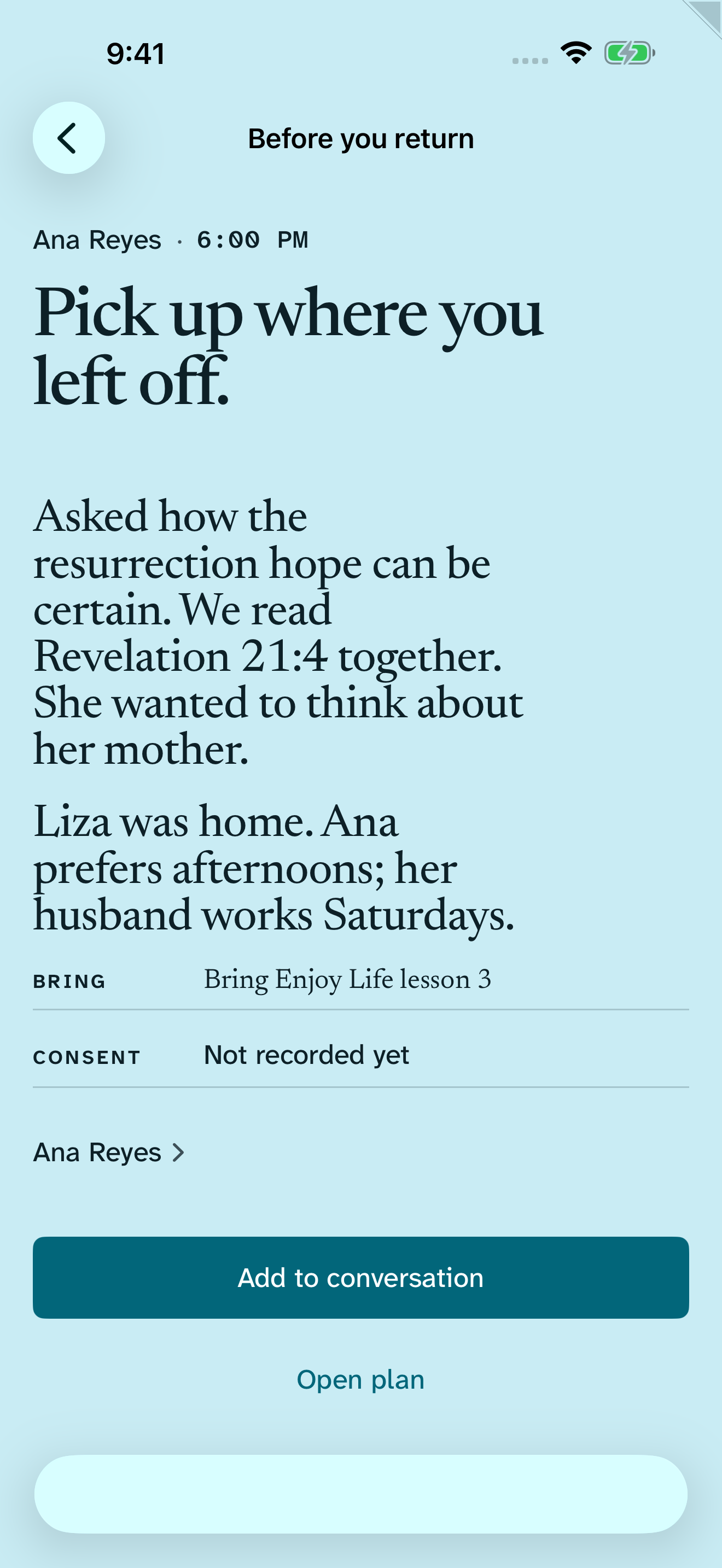
A saved conversation is already complete. Return can notice useful details on device; you decide what stays.
- 1
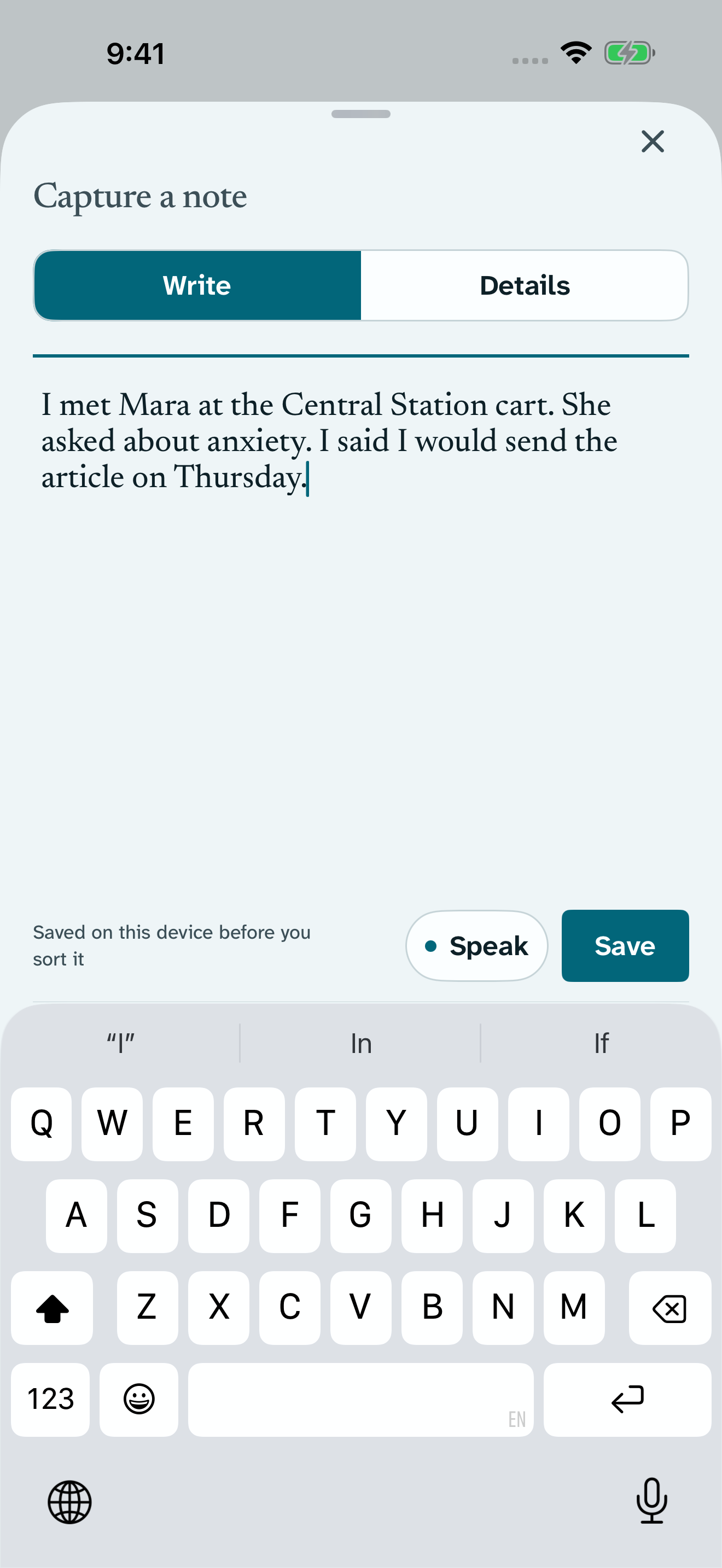
Write or speak naturally.
“Spoke with Ana about seeing loved ones again. Read John 5:28, 29. I said I’d bring an article about the resurrection. Return Sunday at 10 AM.” Return saves those words on this device first, before any person, place, or structured detail is required.
- 2
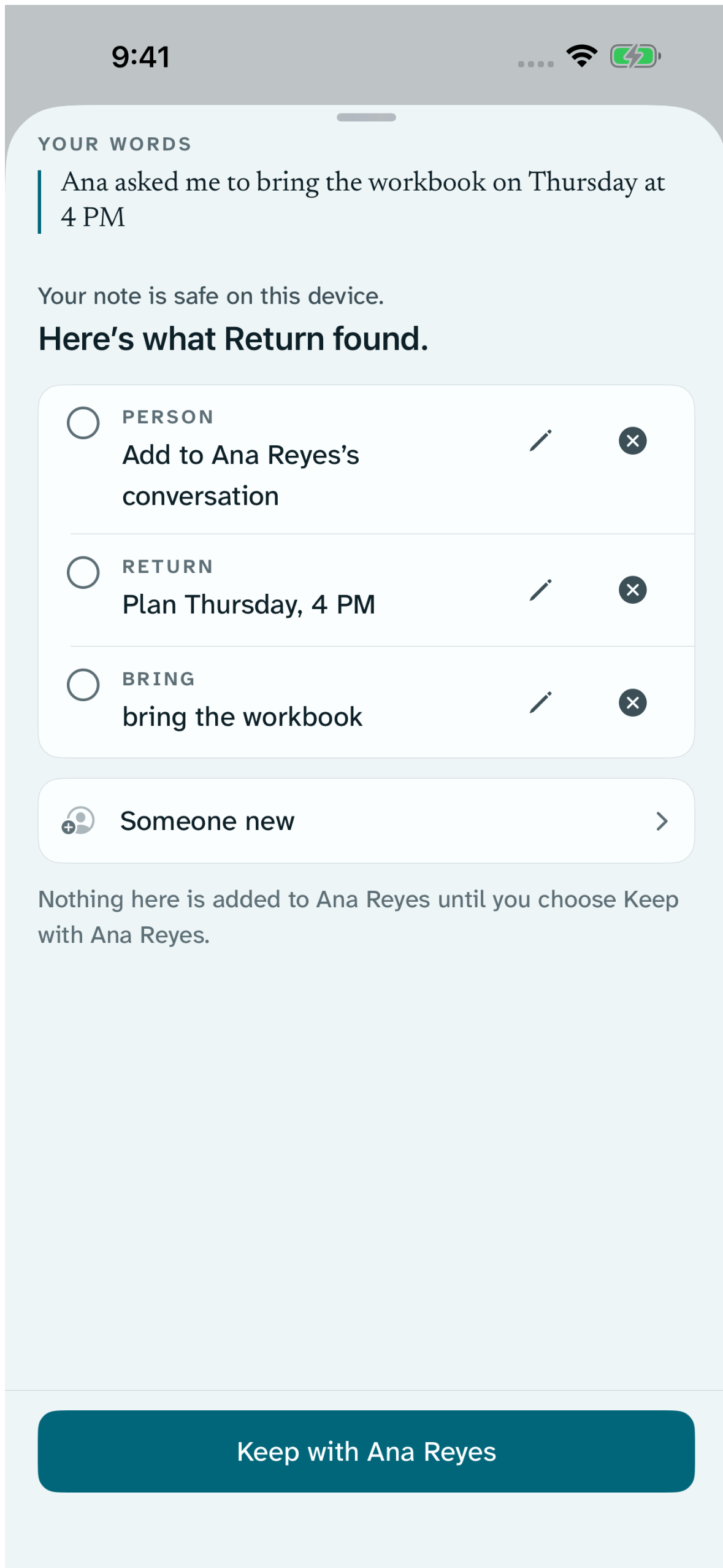
You decide what becomes a record.
From those same words, Return can notice Ana, John 5:28, 29, the resurrection follow-up, and Sunday’s return. The details appear on the saved receipt, then Return keeps them. You can edit them whenever you need to.
- 3
Return prepared.
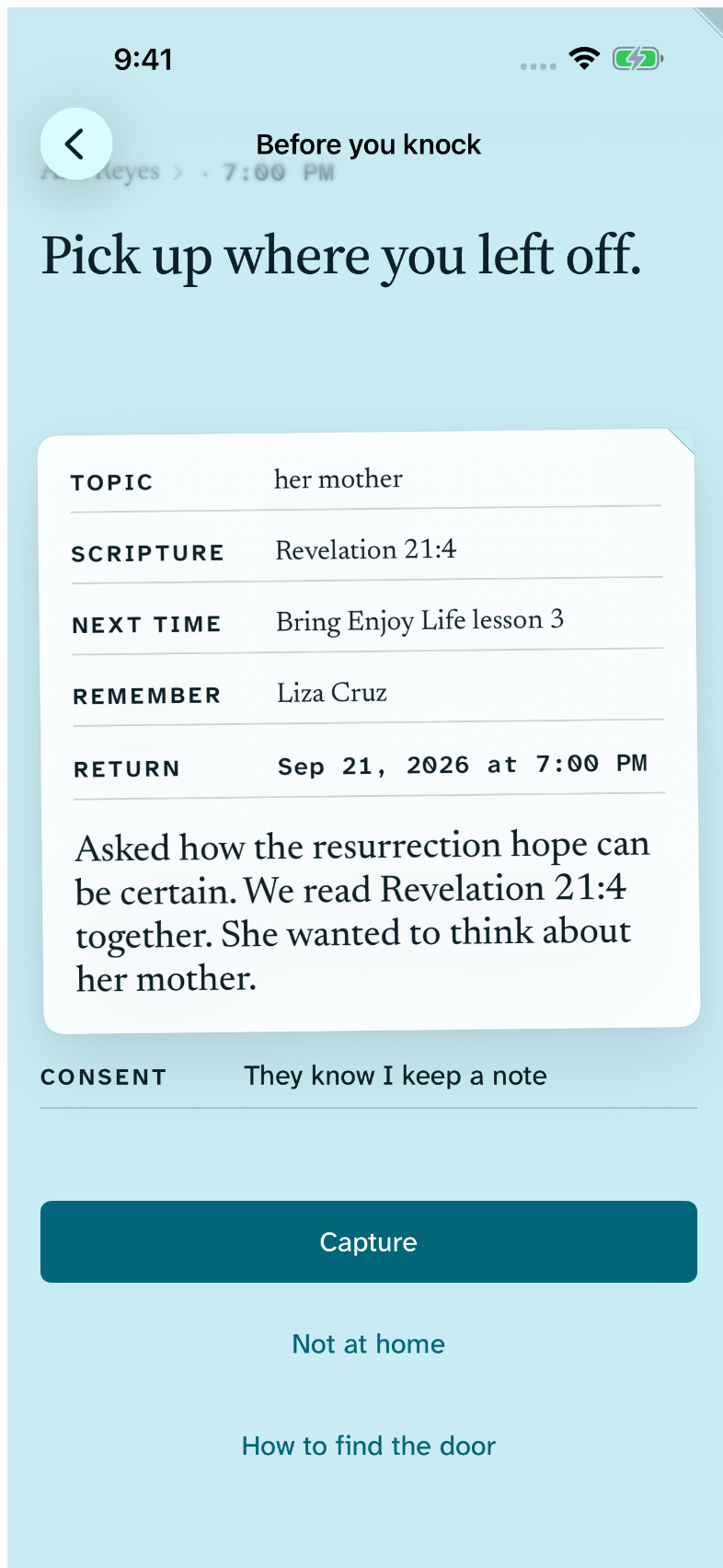
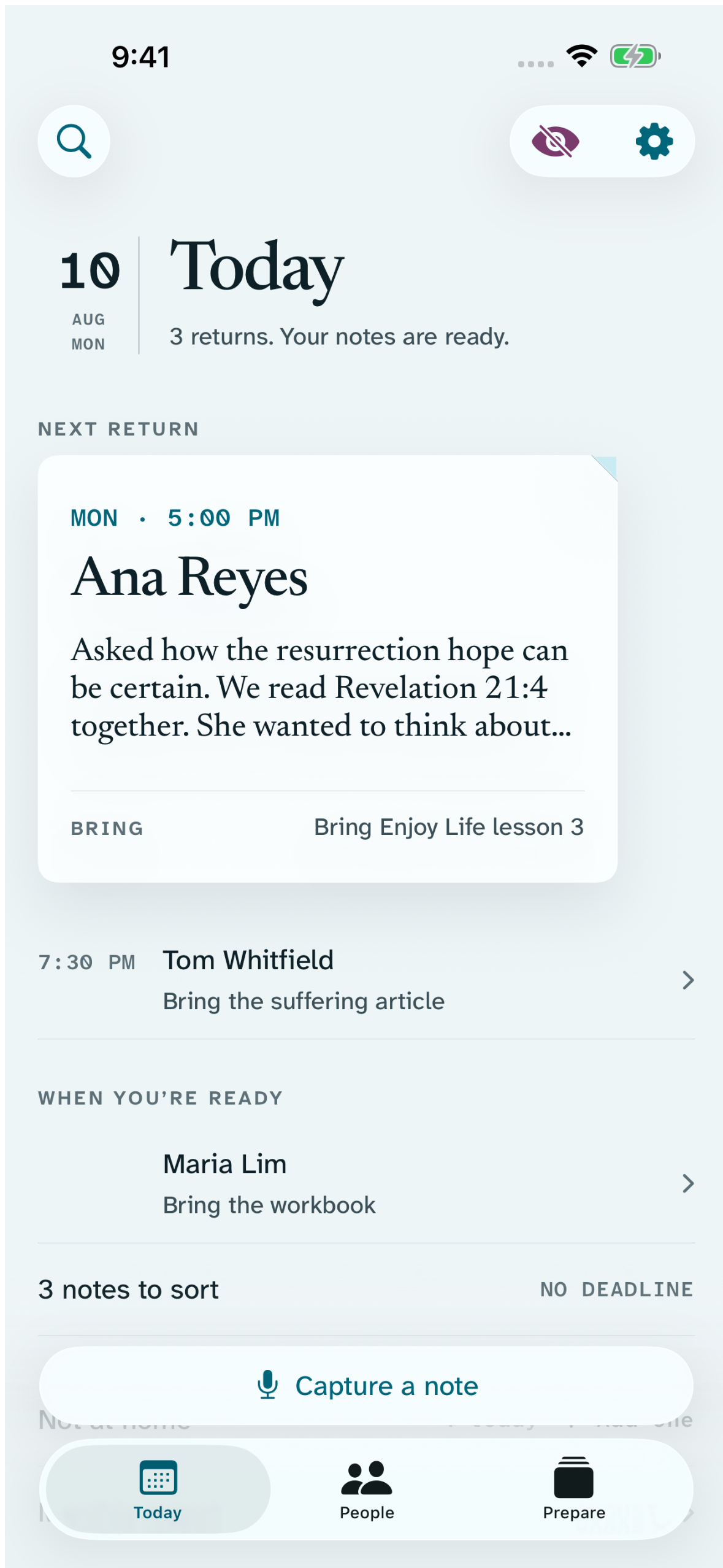
When Sunday comes, Return brings the same confirmed memory back before you knock: what you discussed, the Scripture you used, what you promised to bring, and the return you planned.
Prepared memory
The memory that matters, when it matters.
Before you knock at a door, place a phone call, send a letter or message, or meet in public, Return adapts to how you are returning. The previous exchange stays readable as your own words, while confirmed topic, Scripture, placed material, promised follow-up, encounter place, and current return can be scanned as details.
Return does not write a profile of the person or generate an essay about them. It brings back the record you already chose to keep so the next conversation can continue naturally.
See how Return works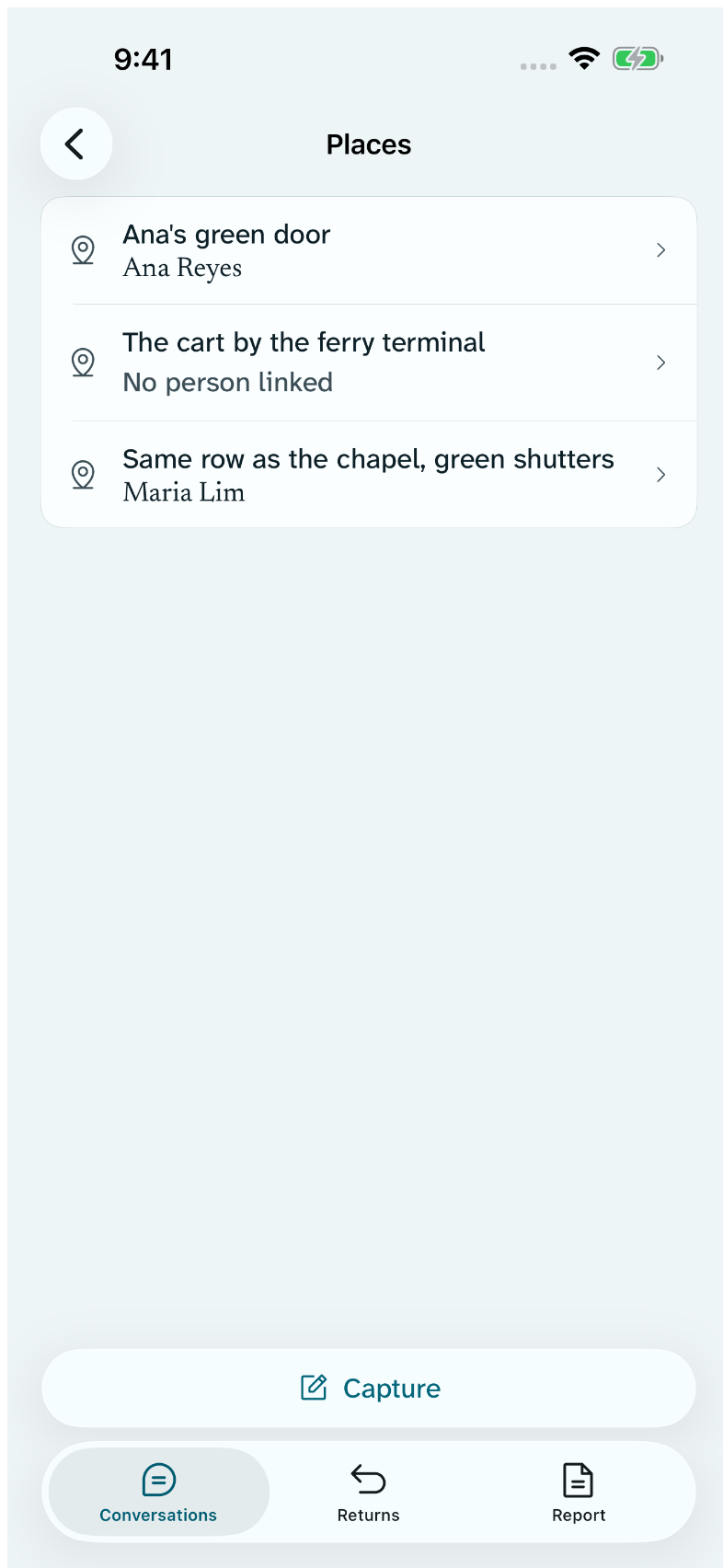
Your places
Everywhere you have been.
A place you save is called whatever helps you recognise it — your own words, not an address Return chose for you. That name is what every list shows, so two places on the same street no longer read alike.
Each row names who the place belongs to rather than counting people, and says so plainly when nobody is linked yet. One place is one row, and the one you usually return to is marked — you can change which. Places sit beside People, so everywhere you have been is a single list.
Met at asks once. Choose a place you already saved, use where you are, or simply write it: any of the three is a complete answer, and words are still enough.
Finding the place
Find the door again.
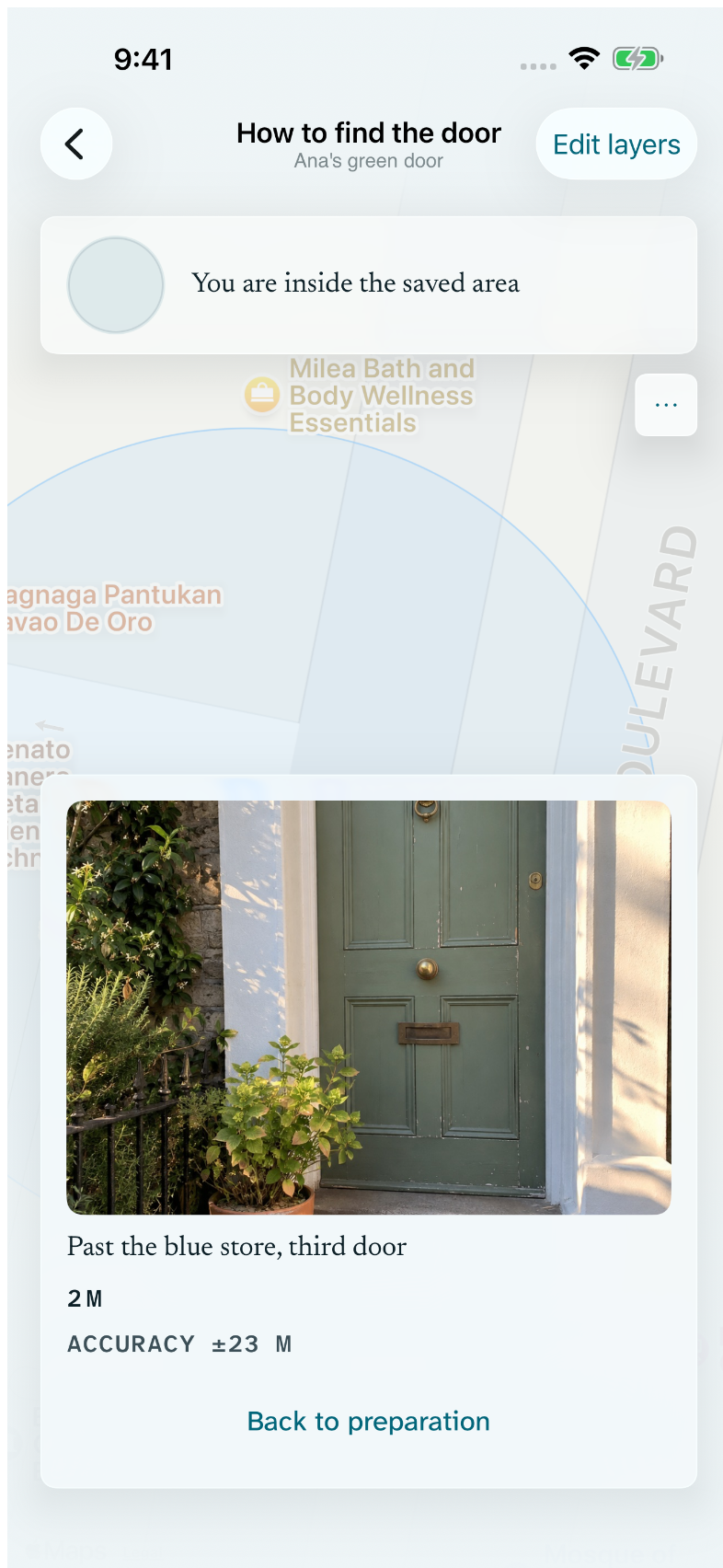
Your saved directions still work.
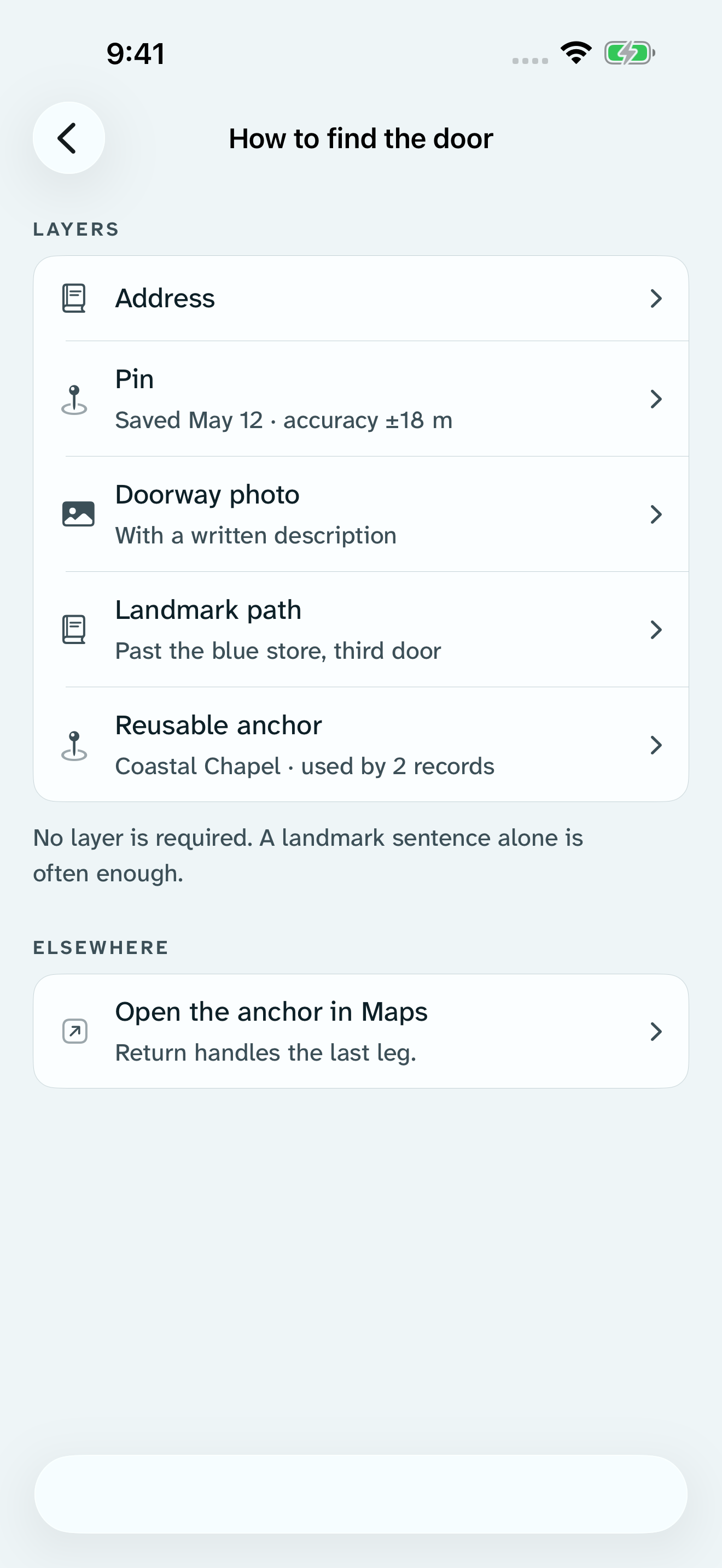
Use the layer that helps: type an address, choose a place in Apple Maps, drop a precise pin, take a doorway photo, or write a landmark path. A reusable anchor can carry a familiar place across records.
No connection needed. Follow the arrow, then use the landmark notes.
- Address
- Pin
- Doorway photo
- Landmark path
- Reusable anchor
Returns on a map
The returns you already planned.
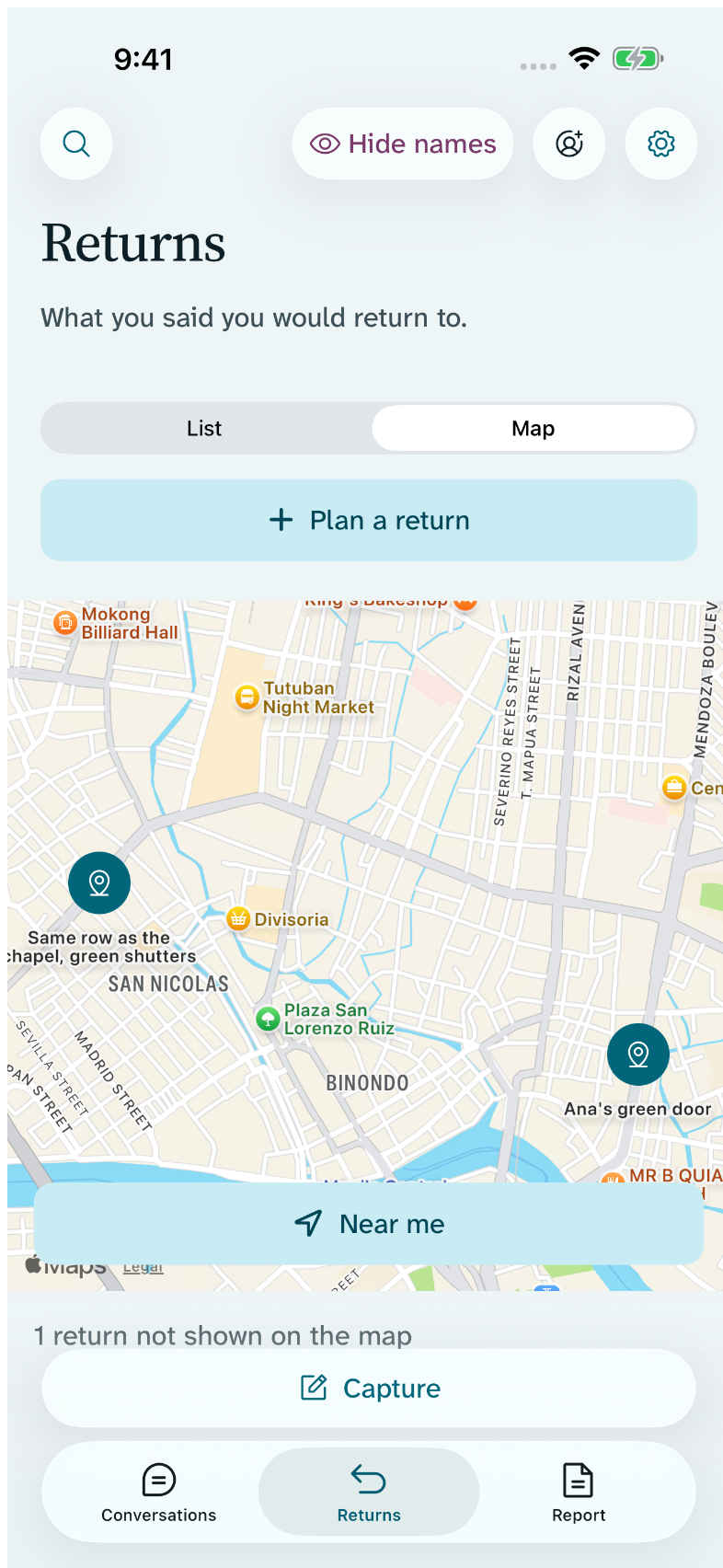
Read Returns as a list, or switch the same open returns to a map. A return earns a marker only when it points at a place you saved and pinned yourself — Return never turns an address into a coordinate behind your back, and never stands in a place you did not choose.
Near me is something you tap. It asks for your location in that moment, centres the map, and keeps nothing afterwards. With no connection the markers and your preparation still open; only the streets are missing.
It does not plan a route for you, rank people, suggest who to visit, draw a boundary, measure coverage, or report where you have been. A return without a usable pin is named plainly as not shown on the map, with the reason and a door back to the complete list.
Visible control
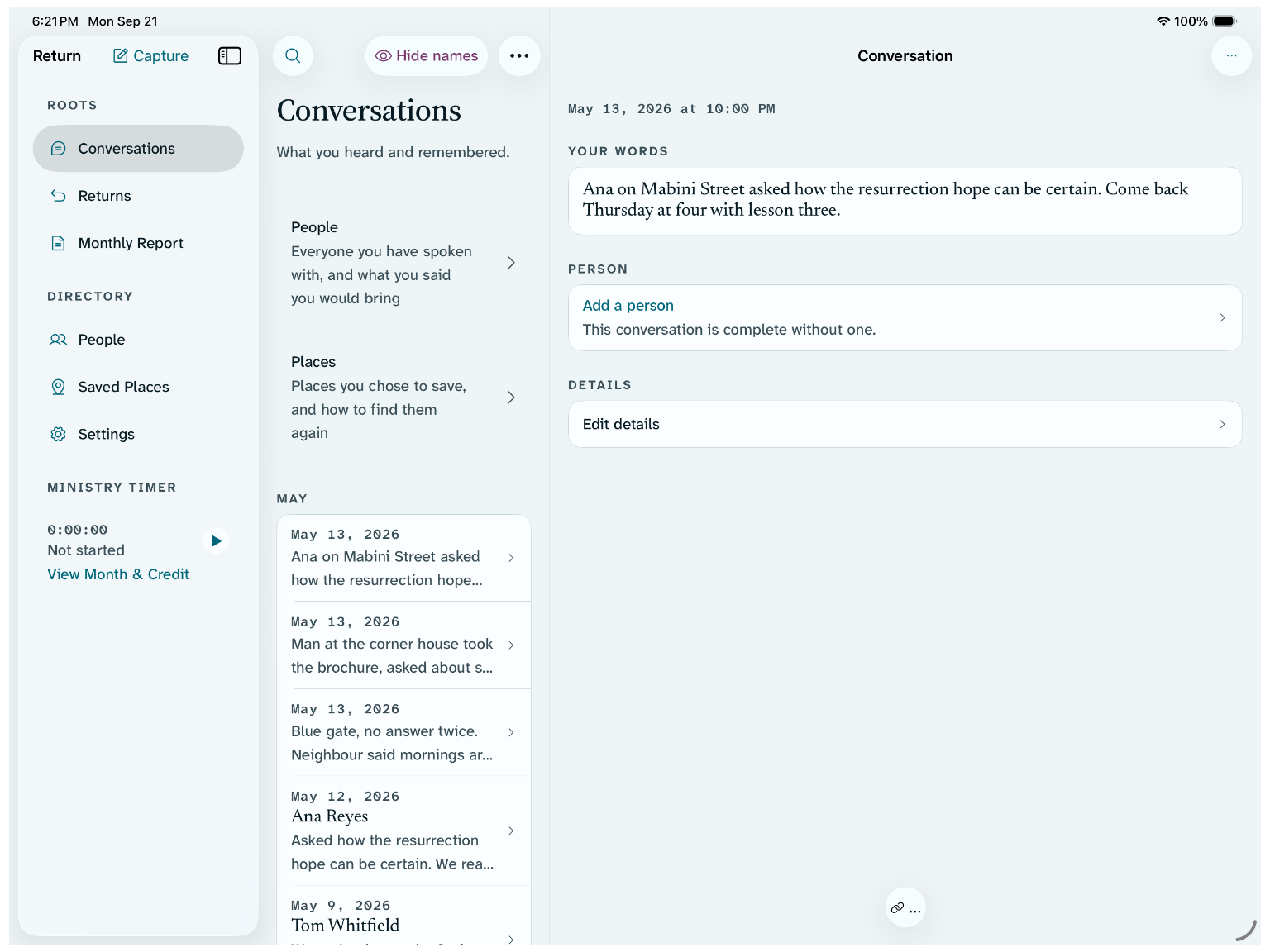
Your notes stay yours.
- Return does
- Store core records on your own device.
- Transcribe voice notes on device and delete recordings after review.
- Return shows useful details before keeping them, and you can edit them whenever you need to.
- Honor Do Not Call requests for people and addresses.
- Let you review, export, anonymize, or erase your records at any time.
- Return does not
- Create an account or send notes to developer servers.
- Read or collect your ministry notes.
- Add analytics, ads, or third-party trackers to the core product.
- Use cloud AI, scores, rankings, or pressure mechanics.
The complete fieldbook
Tailored for iPad.
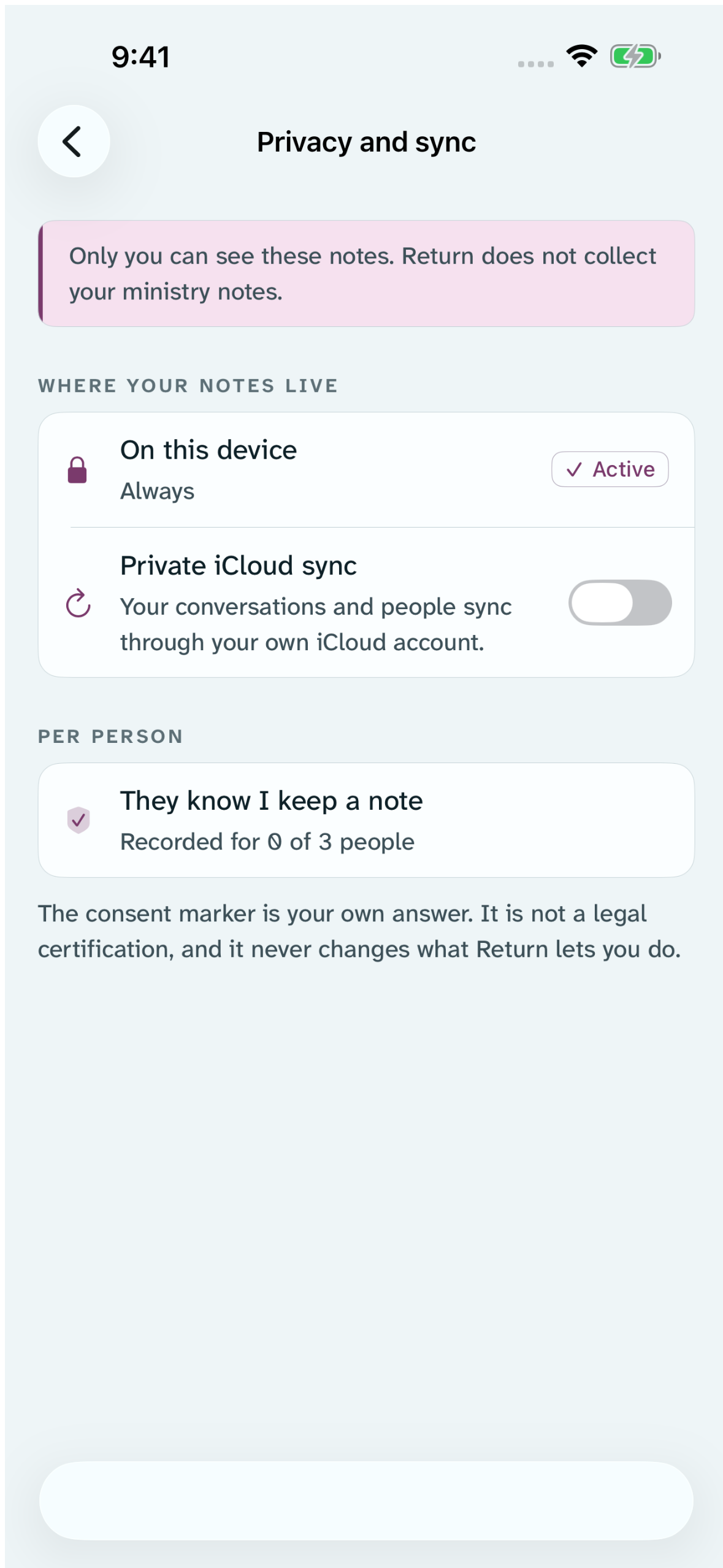
Hold Return in one hand, or open the Living Fieldbook wide. The ministry timer and the roots stay on the left, the list you are working in sits beside them, and a third column holds the record you chose — the conversation, the person, the planned return, or the place opens without losing the list it came from.
Connect a hardware keyboard to move between roots with ⌘1–⌘3, capture with ⌘N, and toggle the timer with ⌘T.
In your pocket and on your wrist
Useful at a door and on the go.
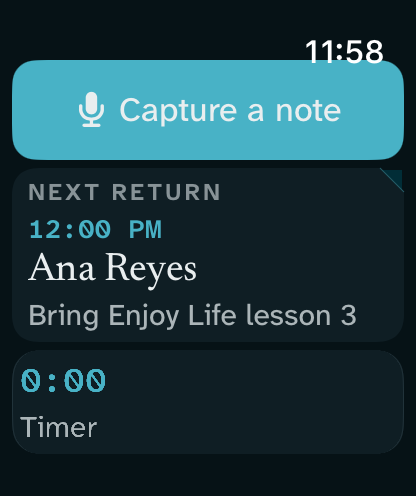
Apple Watch capture and timer, widgets, Bible studies, not-at-home tally, conversation search, monthly reporting, optional hours and credit hours, and Discreet mode stay close without turning the app into a dashboard.
Free core
The essential work stays free.
Capture, conversations, return visits, saved places by name, the map of the returns you planned, Bible studies, not-at-home logging, monthly reporting, timers, the Apple Watch app, widgets, iPad layouts, essential maps and offline wayfinding, privacy controls, export and erase, and accessibility are free on device. Return Supporter adds optional conveniences without locking your records or a core action.
See Supporter optionsRemember the conversation. Return prepared.