
Guides · Capture
Capture a conversation in seconds
Write or speak what happened in your own words. Return saves it first, then shows the details it found for you to keep or change.
Capture and save
Tap Capture
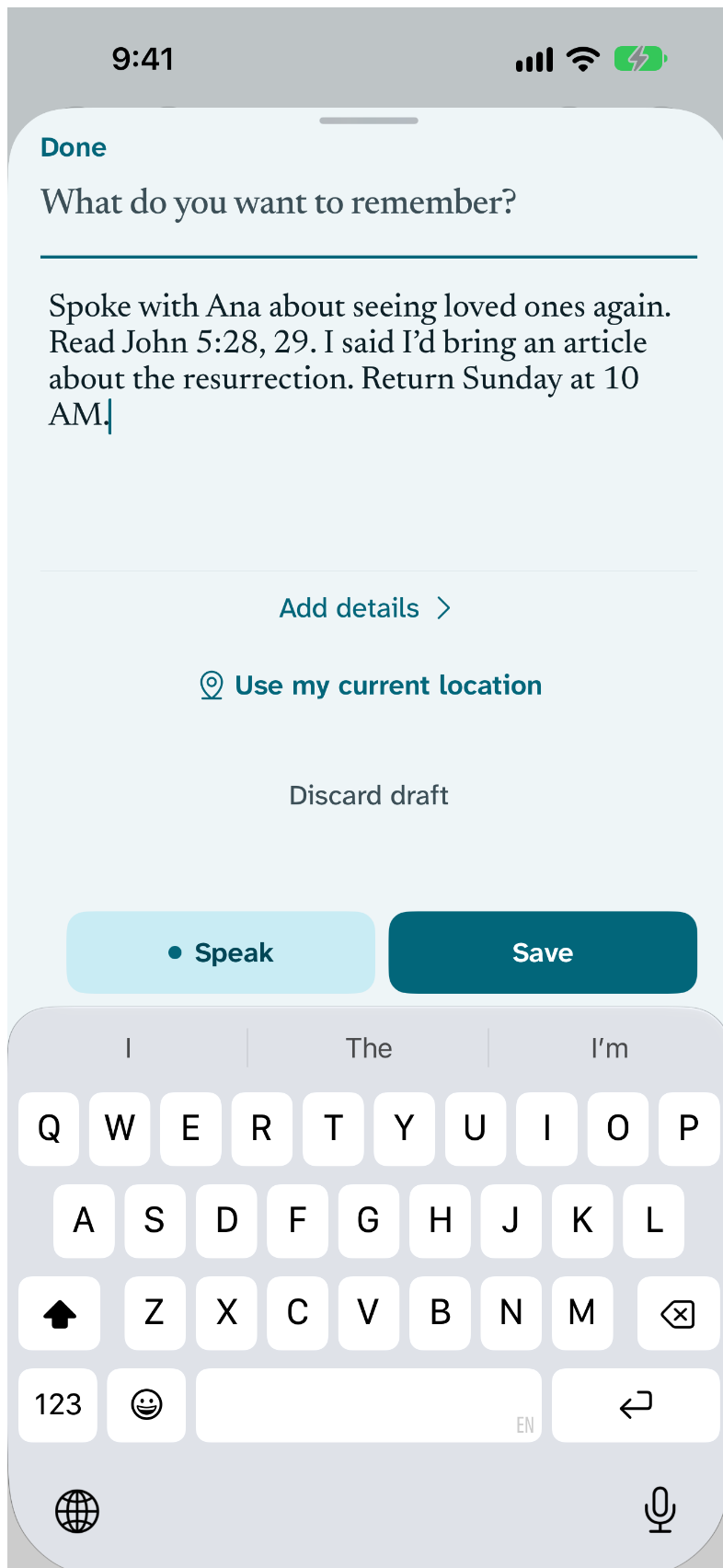
Capture is at the bottom of the screen. Type, or tap Speak and say what happened.
Start with a name, if you have one
Start a note with a name, like “Ferdie Pedro, brother of Vic…”, and Return suggests Ferdie as the person.
Save
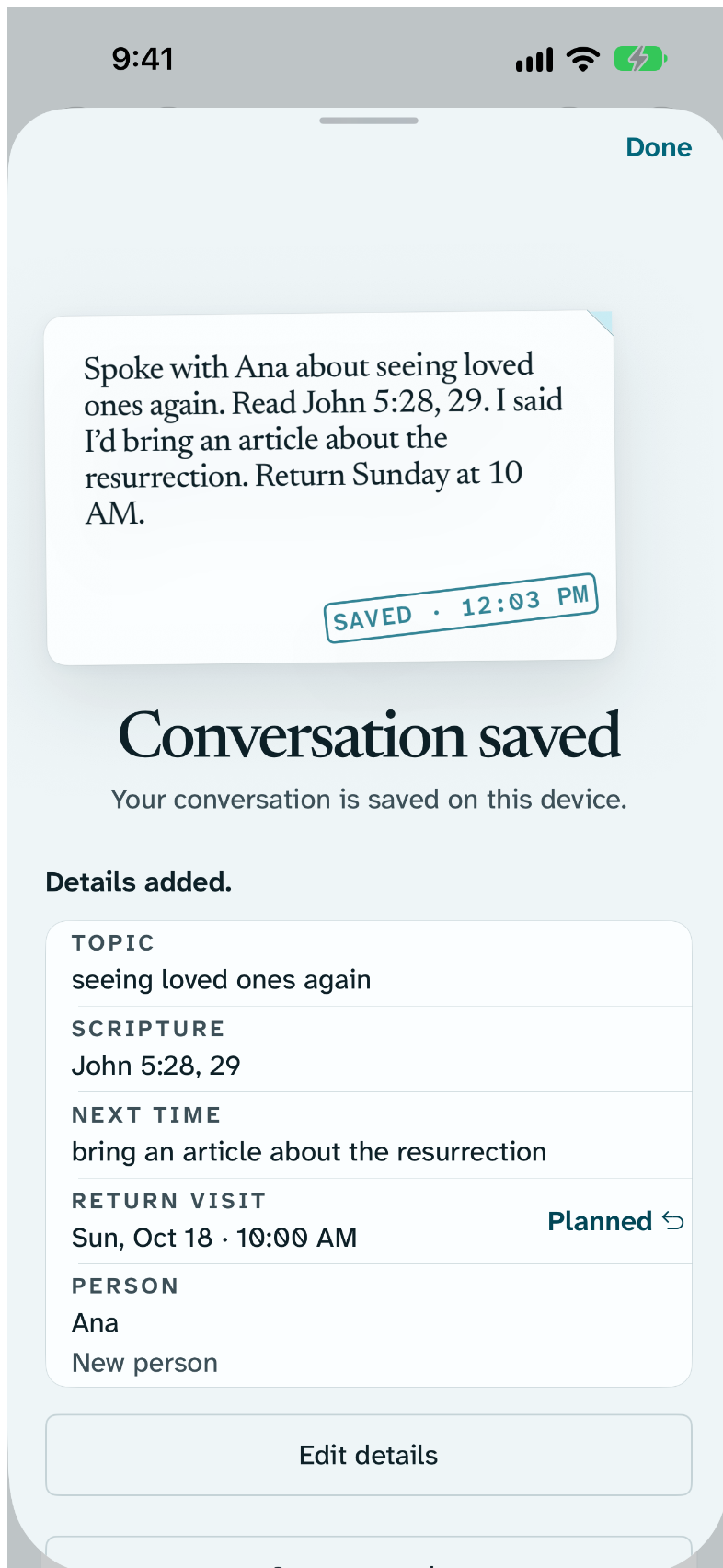
Tap Save. The conversation is kept on this device before anything else happens.
Check the receipt
The receipt shows the details Return found, such as the topic, a scripture, Next time and a return visit. Tap Edit details to change any of them. Every detail stays editable later.
Other ways to capture
On Apple Watch
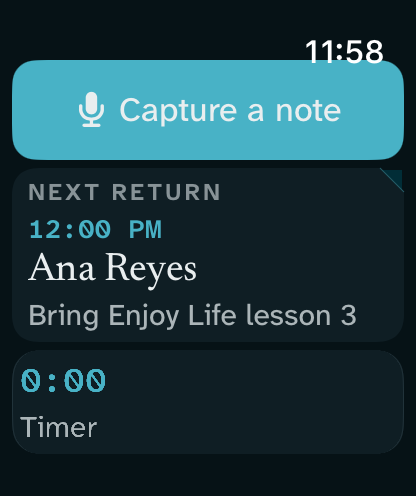
Tap Capture on your Watch and speak.
From the Home Screen, Control Center or Siri
Use the Capture widget or control, or say “Capture a conversation in Return”. You can also set the Action button to the Capture shortcut.
If you are interrupted
An unfinished capture is kept as a private draft, even if you switch apps. It becomes a conversation only when you tap Save.
What stays on your device
- Your words are saved on this device first.
- Suggestions run on your iPhone. Apple Private Cloud Compute is used only if you allow it, and transcription never leaves the device.
- No account, no analytics, and no developer server.
Free
- Capture by typing, speaking, Watch, widget, control and Siri
- Suggested details and the receipt
- Search across every conversation
With Return Supporter
Nothing here needs Supporter. All of it is free, and stays free.