
Guides · Return visits
Plan a return visit and arrive prepared
Plan the next visit from the conversation it came from. When it is time, Return brings back what you talked about and what you promised.
Plan it
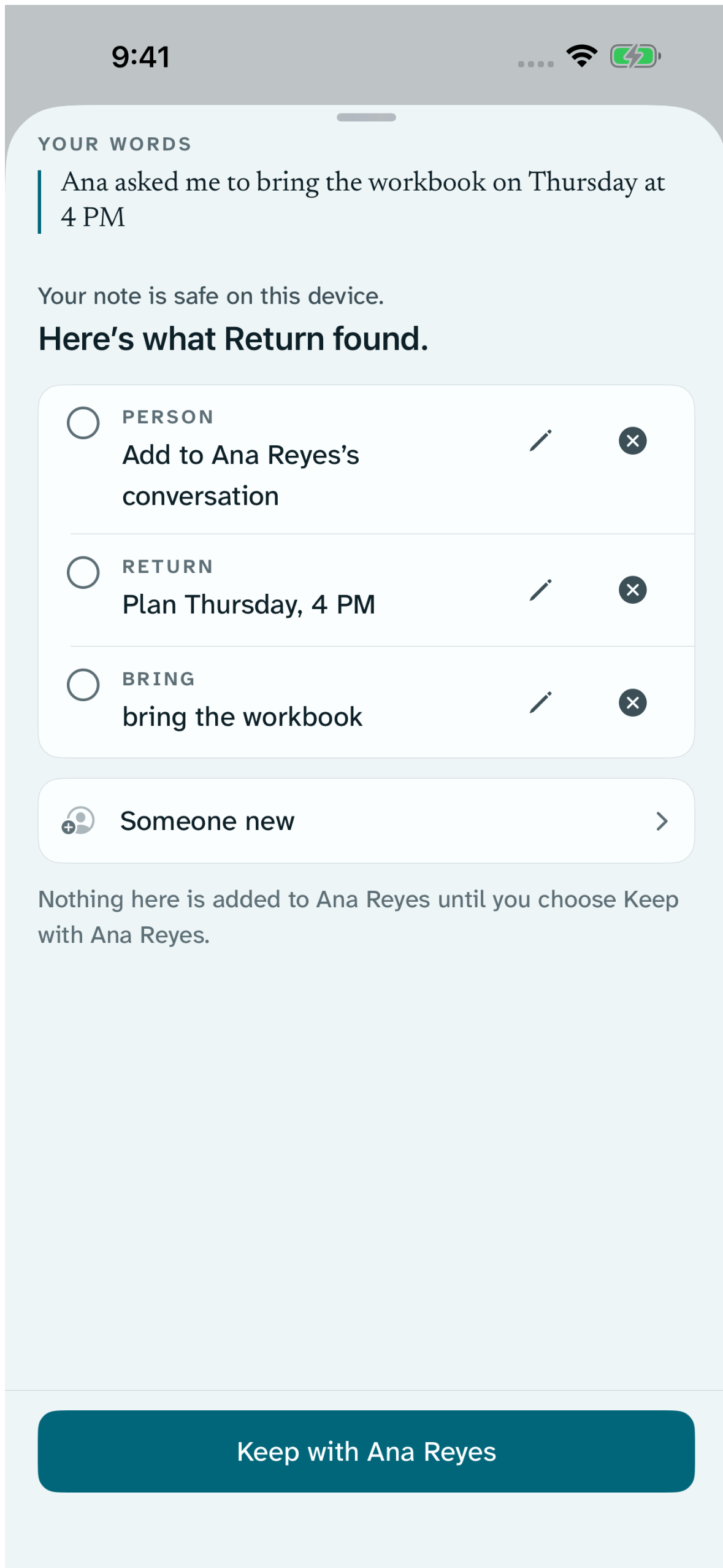
From your words
Say when you will return as you capture, such as “Return Sunday at 10 AM”. The receipt shows the return visit as Planned. You can change it there.
Or plan it yourself
On a conversation or a person, tap Plan a return visit. Choose When, and add Where or Remind if you want them. Tap Save.
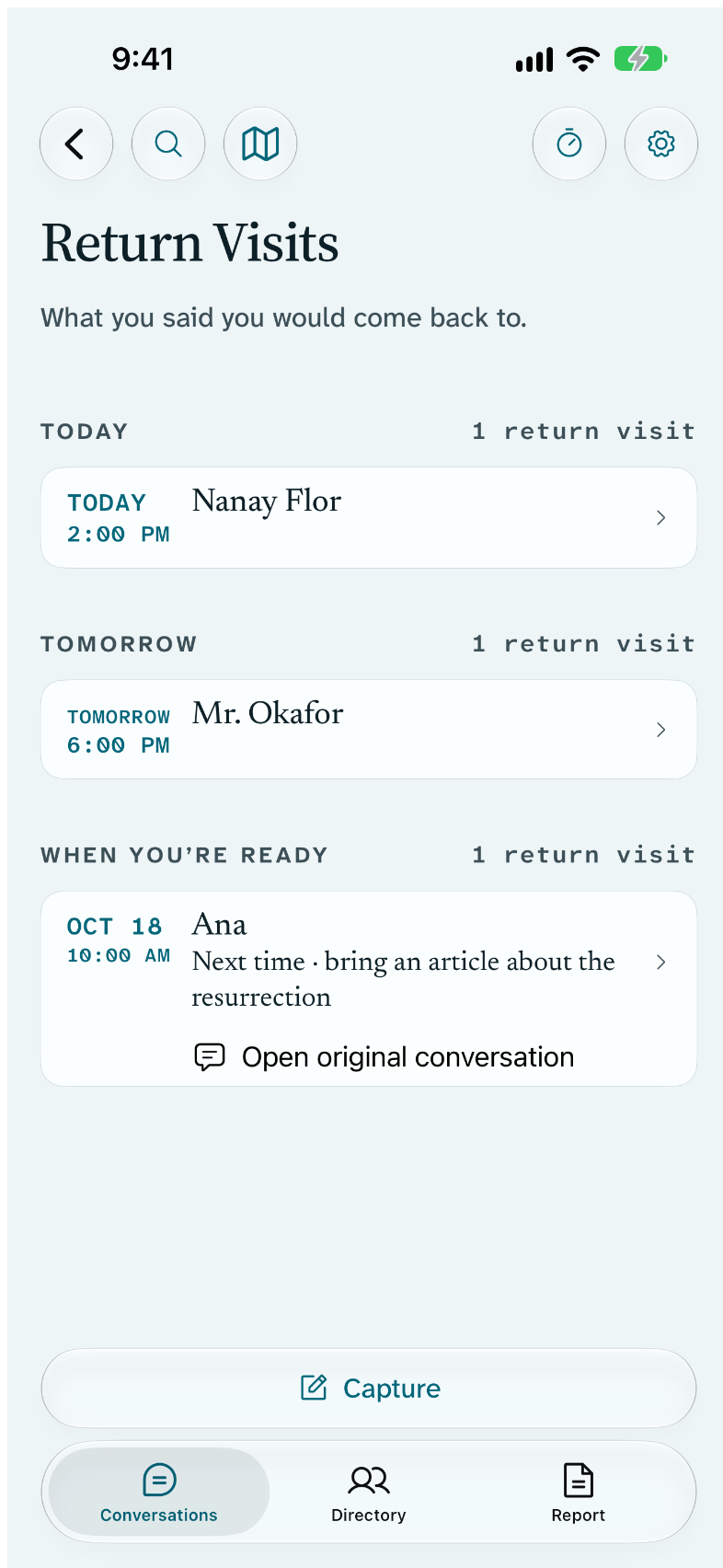
See them all
Return Visits, reached from Conversations, lists every return visit you have planned. Switch to Map to see the ones at a pinned place.
Before you knock
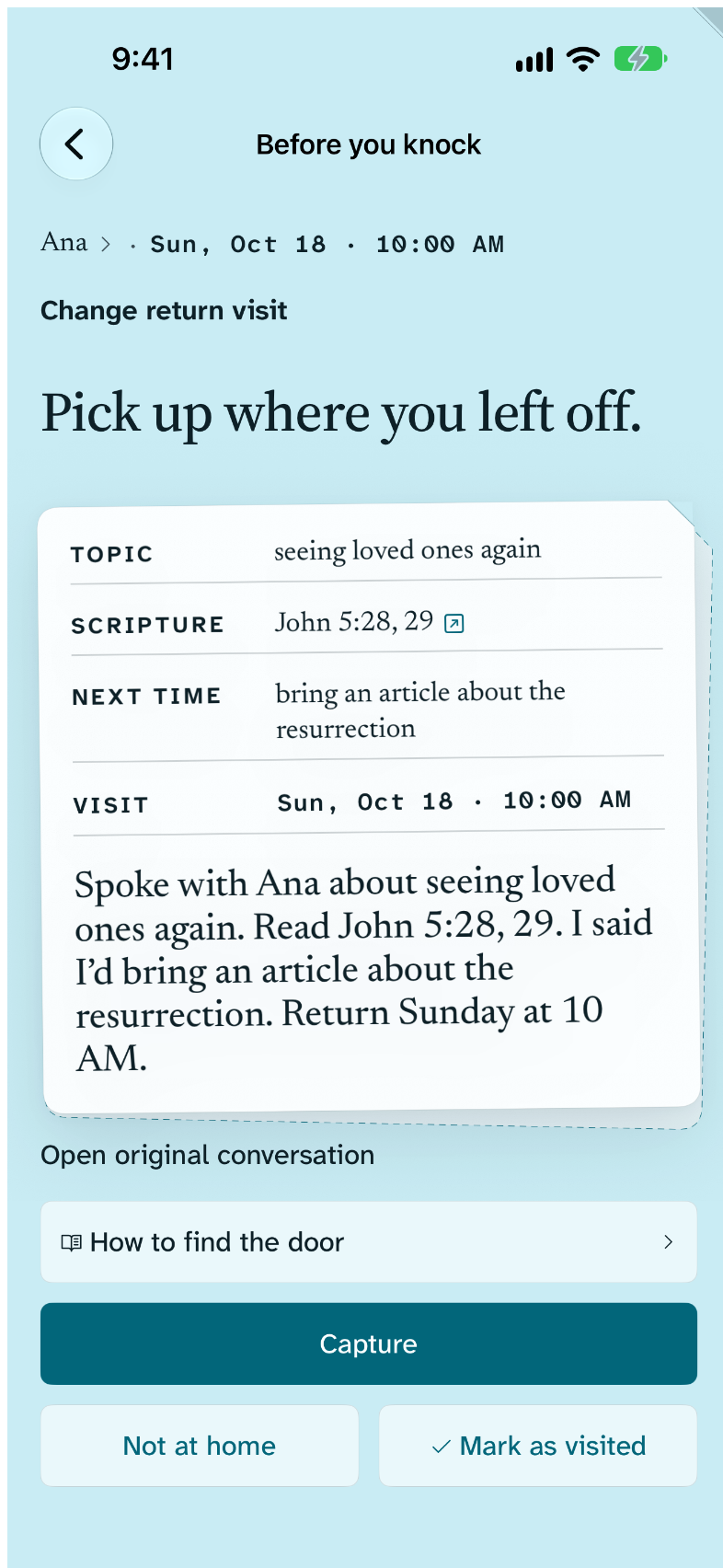
Open the return visit
Tap it in Return Visits or on the Return Visit widget. Before you knock shows what you talked about, your Next time, and your own words.
Record what happened
Tap Capture to note the new conversation, Mark as visited when you are done, or Not at home if no one answered.
Find the door
If the person has a saved place, How to find the door shows your pin, doorway notes and the way there, even offline.
What stays on your device
- Return visits, places and notes stay on this device.
- Reminders, the Lock Screen and widgets show Return visit and the time, never a name.
Free
- Planning, reminders and Before you knock
- Return Visits list and map
- Not at home and Mark as visited
- Saved places and offline wayfinding
With Return Supporter
- Satellite, Look Around, and walking route with walking time, where Apple Maps provides them