

Guides · Monthly goal
Set a monthly goal and see your month
New in 1.8.1
Set an hour goal in Report and the month is drawn against it: what you have recorded, where your rhythm lands, and the hours a week or a day that reach it.
New in 1.8.1
Set your goal
Open Report and set a goal
In Report, tap Monthly hour goal. Choose 15, 30, 50 or 90, or step to your own number, then tap Save.
Read the goal card
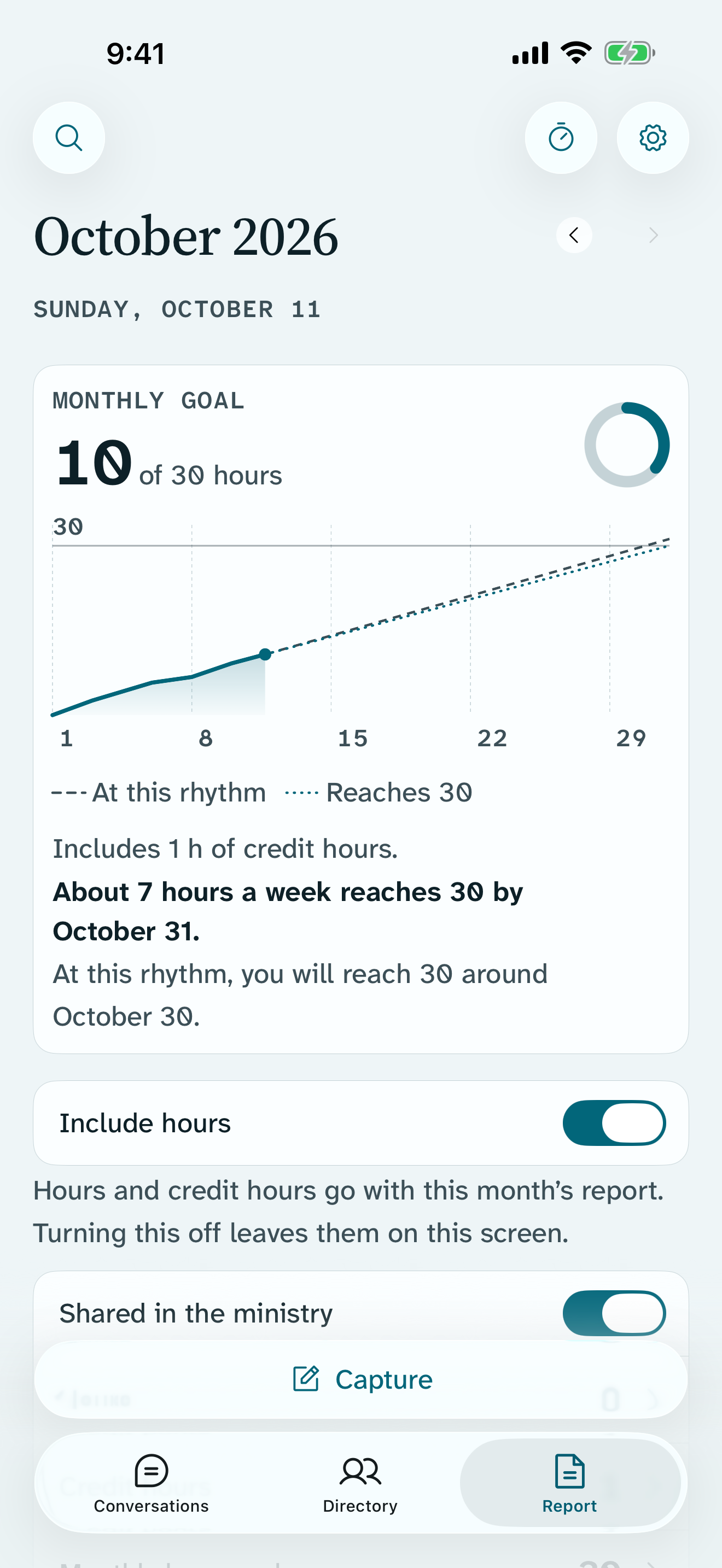
The month opens with your goal card: the hours so far, such as 31 of 50 hours, a ring, and the month drawn as a line. Under it, one sentence gives the pace that reaches your goal, and one says where your rhythm lands.
Decide whether credit hours count
Credit hours count toward the goal by default, and the card says so: Includes 4 h 30 min of credit hours. To count ministry hours only, turn off Count credit hours in the goal editor.
New in 1.8.1
Leave out days away
A trip or an assembly is not a day you can go out. Mark it, and the pace leaves it out.
Mark the days
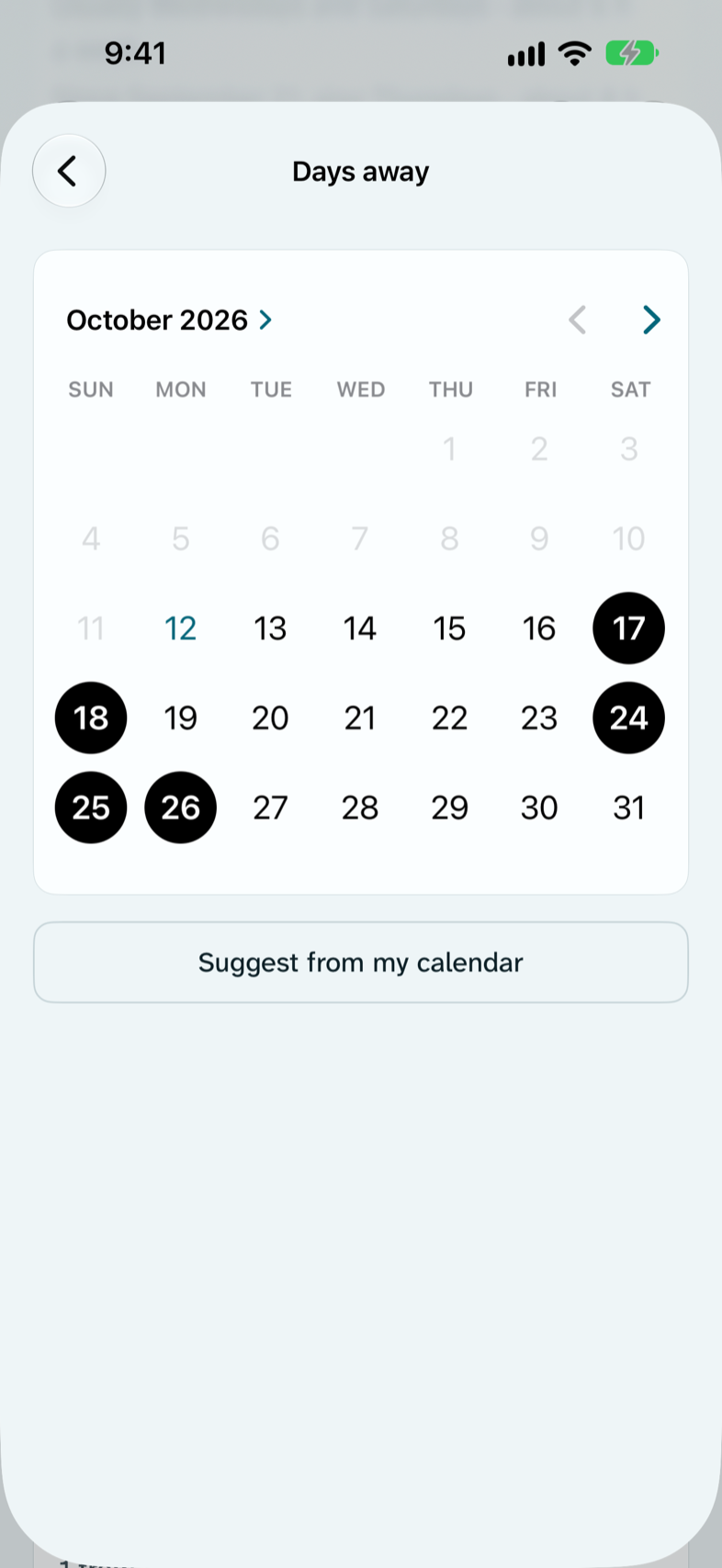
In the goal editor, tap Days away and choose the days you will not be available, from today through the end of next month.
See it on the card
The card says how many days it leaves out, such as Leaves out 4 days away. If every day left this month is away, it says so instead.
With Supporter, suggest from your calendar
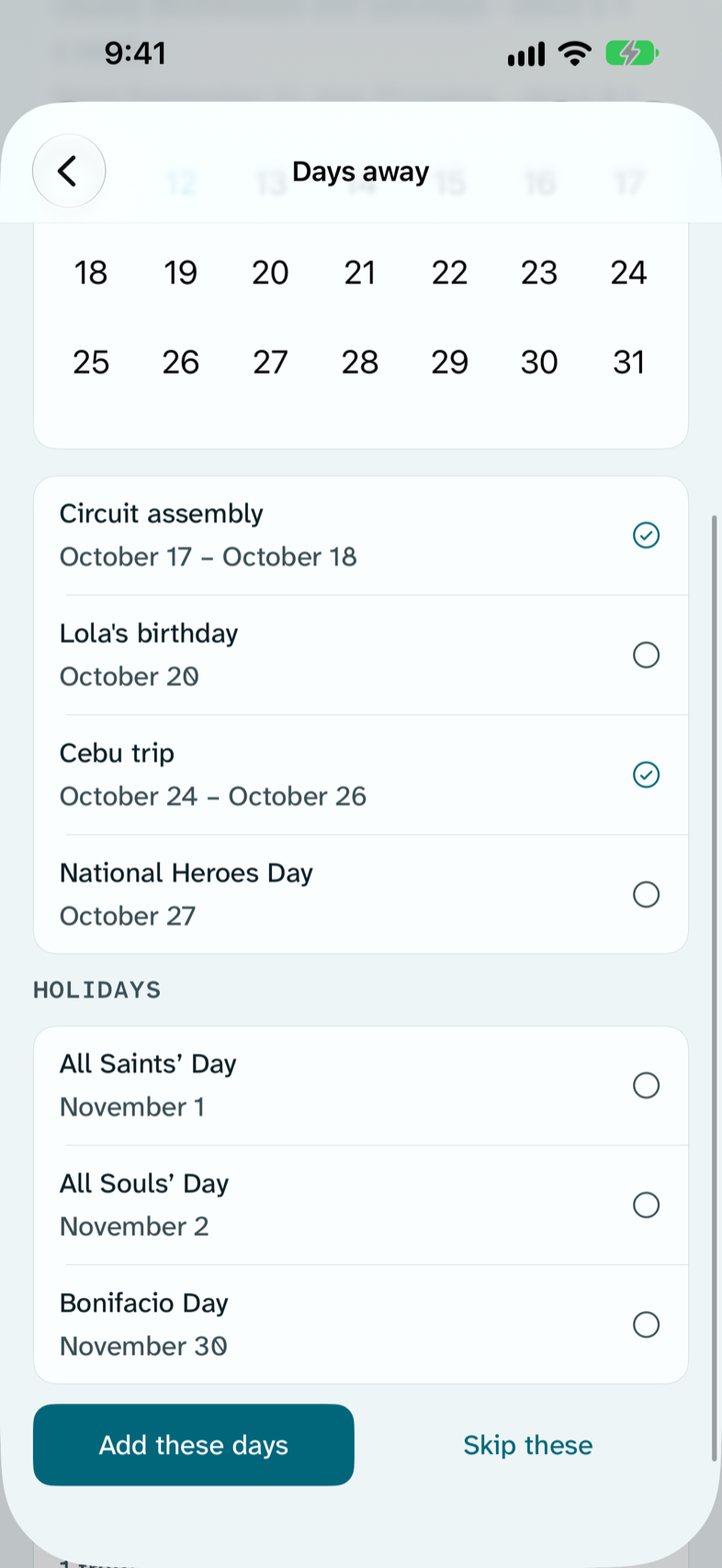
Tap Suggest from my calendar. Return explains what it looks for before iOS asks for access. Trips, assemblies and other days away appear as rows you can check. Holidays are listed unchecked. Tap Add these days to keep only the ones you checked.
New in 1.8.1
Your rhythm, with Supporter
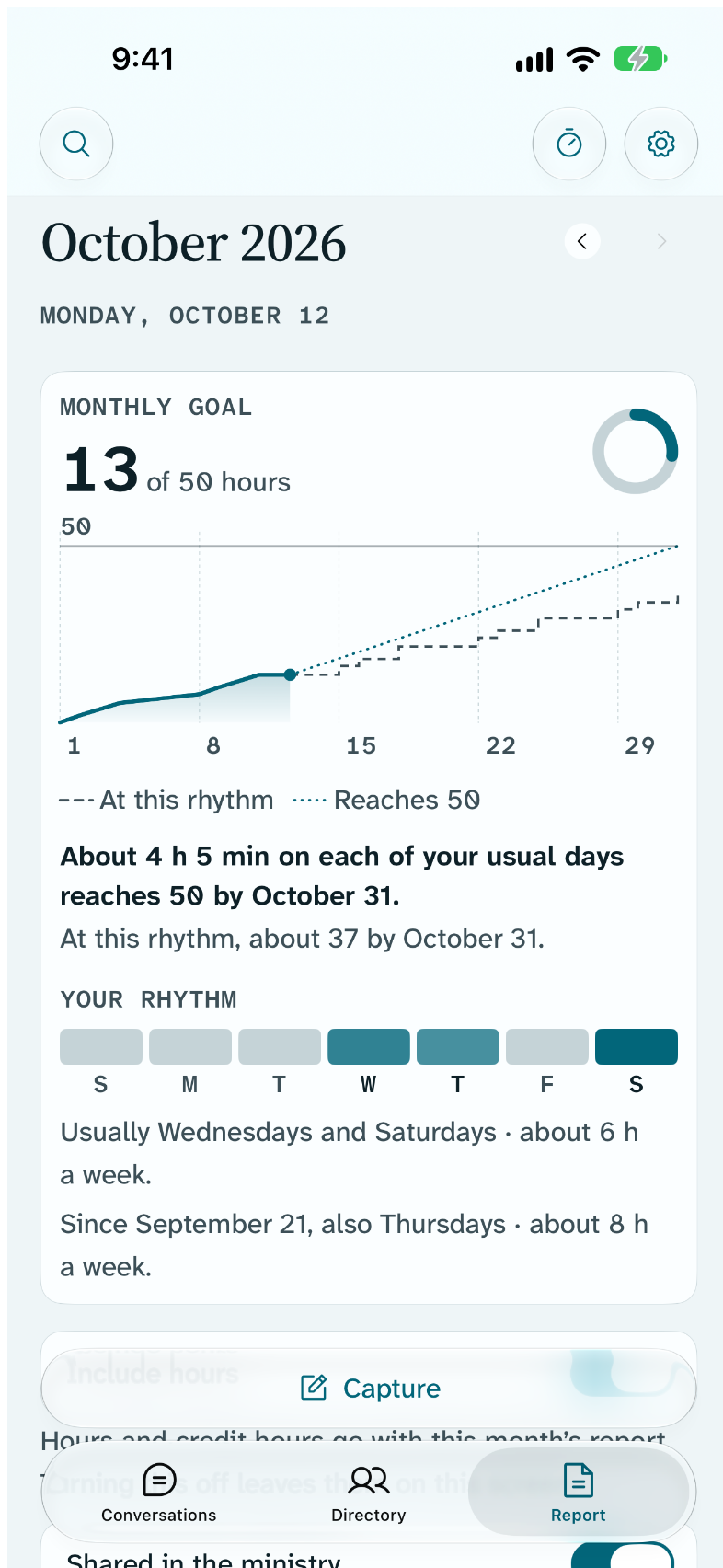
Supporter can learn which days you usually go out, and state the pace on those days.
Turn on Learn my rhythm
It is in the goal editor, on by default for Supporters. Until there are a few weeks of recorded time, the card says Learning your rhythm.
Read Your rhythm
The goal card adds a week strip with your usual days filled, and a sentence such as Usually Wednesdays and Saturdays · about 7 h a week. The pace can then be stated on your usual days: About 2 h 45 min on each of your usual days reaches 50 by October 31.
When your weeks change
If your days change, the card says so as a dated fact, such as Since October 1, also Thursdays · about 9 h a week.
What stays on your device
- Your goal, your hours and your days away stay on this device. They reach your other devices only if you turn on iCloud sync, and then only through your own iCloud account.
- Calendar suggestions read your calendar on this device, only when you ask. Nothing from your calendar is saved except the days you confirm.
- The goal never appears on the report slip you share.
Free
- The goal card, the pace and the estimate
- Days away
- Count credit hours
- The small Monthly goal widget and the circular Watch complication
With Return Supporter
- Your rhythm, and the pace on your usual days
- Suggest days away from your calendar
- The pace and estimate on larger goal widgets and Watch complications
If Supporter ends, the card returns to the free card. Your goal and days away are kept.